
Joomla - How to create blog
Joomla Blog is the page (or menu item) with so called blog category layout which displays all articles from one category.
To create blog page you must define at least one section and one category, then create menu item with category blog type and link with your newly created category. When you write article or new blog post, just assign article to the created section and category and article will appear automatically on your blog page. Inside menu item of blog type you can customize maximum number of blog entries per page and layout of pages (number of columns, positions of blog entries, etc). When writing articles or blog posts in this case, you can use ReadMore function to post only teaser or intro text of your blog post on your blog page so you can have more blog entries per page. ReadMore link will appear and visitor can read entire article on separate page.
Step by step example:
Step1: go to Content/Section and create new section named 'MyBlogs'.

Step2: from Content/Category create category 'Travels' under section 'MyBlogs'.
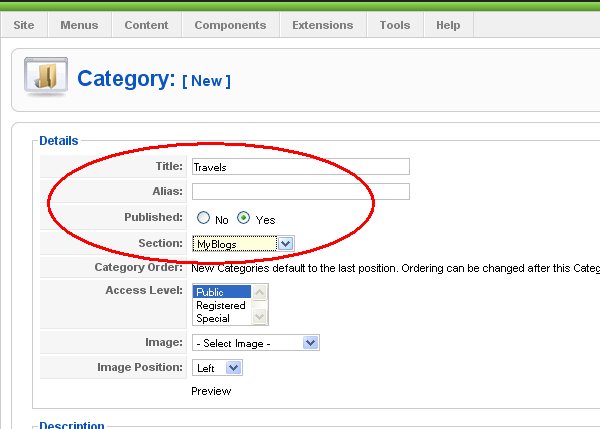
Step3: create article inside category 'Travels' from Content/Article Manager.

Step4: go to Menus/Menu Manager and create menu 'MyBlogs'.
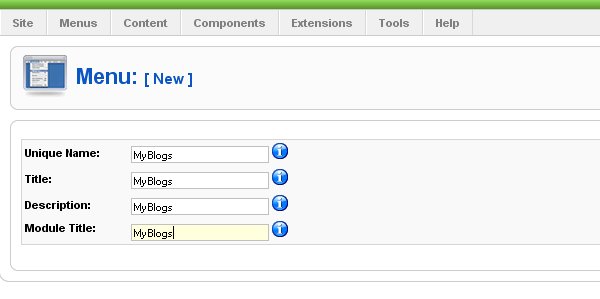
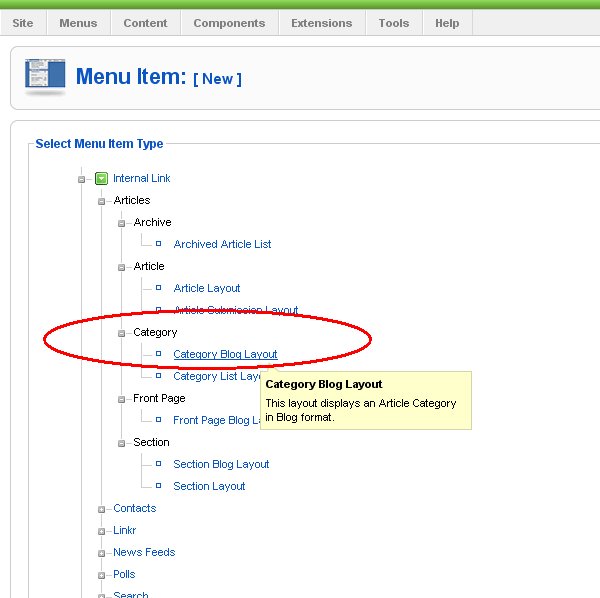
Step5: from dropdown list from Menus select 'MyBlogs' menu and create menu item 'Travels', select Category Blog Type.
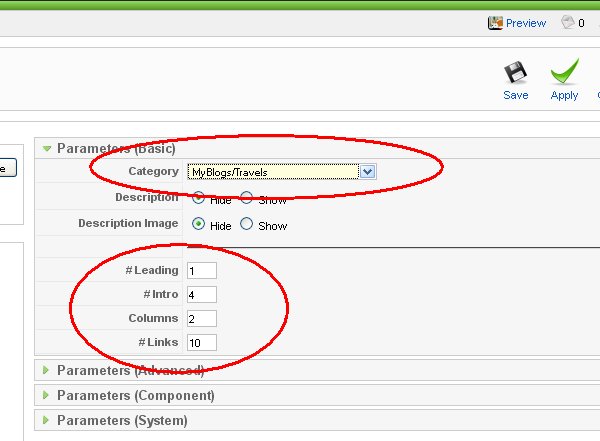
Step6: assign menu item to the section/category of MyBlogs/Travels type and customize layout of blog page (columns=2, blog posts per page (links)=10, etc..).
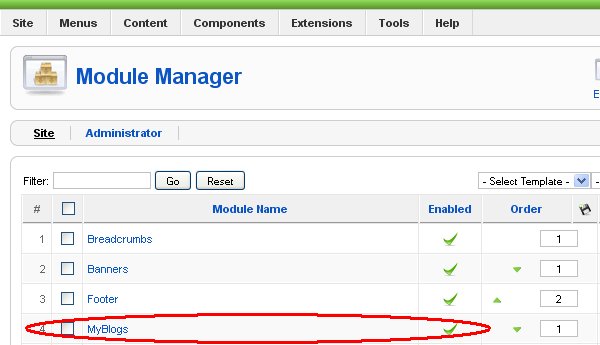
Step7: to finally publish your blog page, go to Extensions/Modules and enable module 'MyBlogs'.
See list of all Joomla mini how to's from this site