
Joomla - How to install extensions and templates
How to install extensions
Joomla extensions can be plugins, modules, components and templates. Usual extensions installed are templates, better html editors and fancy menu's. Go to extensions.joomla.org and download extension that you want as zip file onto your local hard disk drive. From admin web interface go to Extensions/Install-Uninstall in Upload Package File section click Browse button, search for extension zip file on your local drive then click on 'Upload File and Install'.

See details on how to install extension on SiteGround Tutorial
How to install and use templates
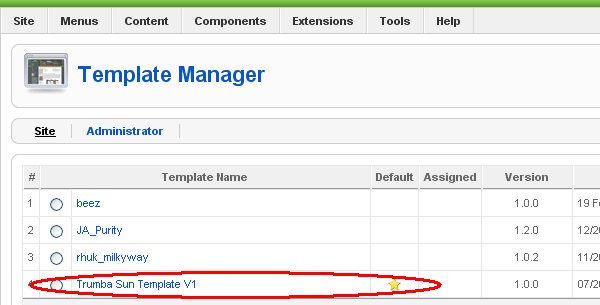
Get free template at SiteGround or at JoomlaOS and download template as zip file and install it as extension (see above). To change your website look & feel set new template as default: go to Extensions/Template Manager and set template that you wish to use as default: select template, click on yellow star in toolbar and default template should be marked with little yellow star.
My Favorite Extensions
Linkr for internal article linking
See list of all Joomla mini how to's from this site